A welcoming front door. A complete platform behind it.
BC Therapist Finder connects people with therapists across British Columbia. We designed and built the full experience: the public directory, personal accounts for therapists, management tools for administrators, and the systems that handle subscriptions and account emails. From the first search to the day-to-day running of the platform, every part was considered together.
The brief
A clear purpose. A considered delivery.
The challenge
The platform needed to work for three very different audiences. People looking for support needed a clear, approachable way to explore their options. Therapists needed control over their practice information and subscriptions. The team running the directory needed an efficient way to review listings, manage accounts, and keep information current—all while bringing existing members into the new system.
Our approach
We mapped the journey from finding a therapist to managing a listing, then built the screens and behind-the-scenes systems to support it. A calm public experience connects to dedicated therapist and administrator dashboards. Profile updates go through a review process, subscriptions connect to Stripe, and account emails guide people through the next step.
Design, development & launch
The whole application. From start to finish.
01
Experience & interface design
A consistent, responsive design across the public website, therapist accounts, and administrator tools.
02
Directory & profile development
Search, filters, an interactive map, and individual profile pages with their own shareable addresses.
03
Accounts & dashboards
Registration, email verification, password recovery, profile editing, and separate tools for therapists and administrators.
Existing profiles, photos, and billing records brought into the new platform, followed by launch testing and refinements.
Behind the directory
Three audiences. One connected application.
A successful directory needs more than a great public-facing design. We built the tools that let people use it, contribute to it, and run it every day.
01
For people seeking support
Explore at your own pace.
Visitors can browse the directory, filter their search, explore the map, and open detailed profiles. The experience keeps practical information easy to find without making the first step feel complicated.
Location-led discovery and search filters
Individual profiles with photos and practice information
Clear ways to contact a therapist
02
For therapists
Your practice. Your own dashboard.
Therapists can sign in to create and manage multiple listings, upload and crop photos, and update their practice details. Changes are submitted for administrator approval, giving members control while keeping a review step in place.
Profile creation, editing, and photo management
Account settings and password recovery
Payment details, plans, and cancellation tools
03
For administrators
The tools to run the directory.
A dedicated dashboard brings account and listing management together. Administrators can create, review, approve, edit, disable, or remove profiles, invite account holders, and manage administrator access.
Listing reviews and account management
Coupons and administrator access controls
Activity history and email delivery records
Inside the application
A workspace for every role.
Dedicated dashboards make it easier for therapists to manage their presence and for administrators to review listings.
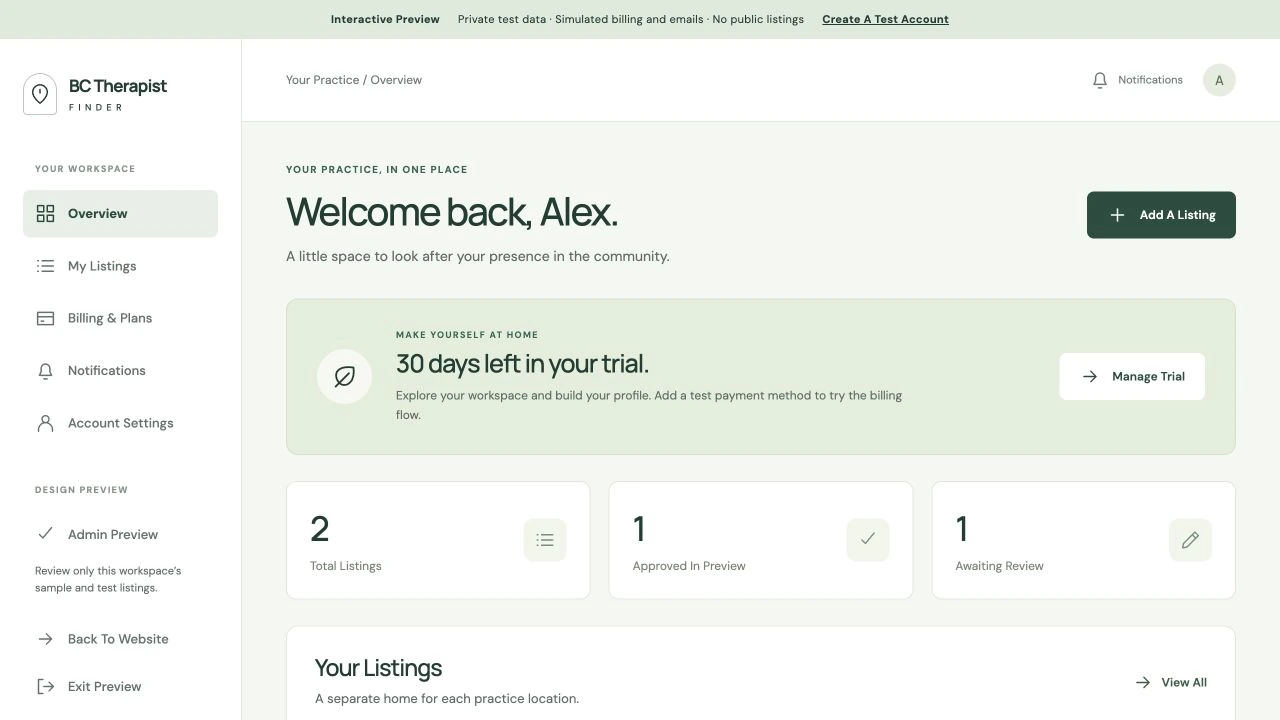
The therapist workspace
A clear overview of listings and their status, with account and billing tools close at hand.
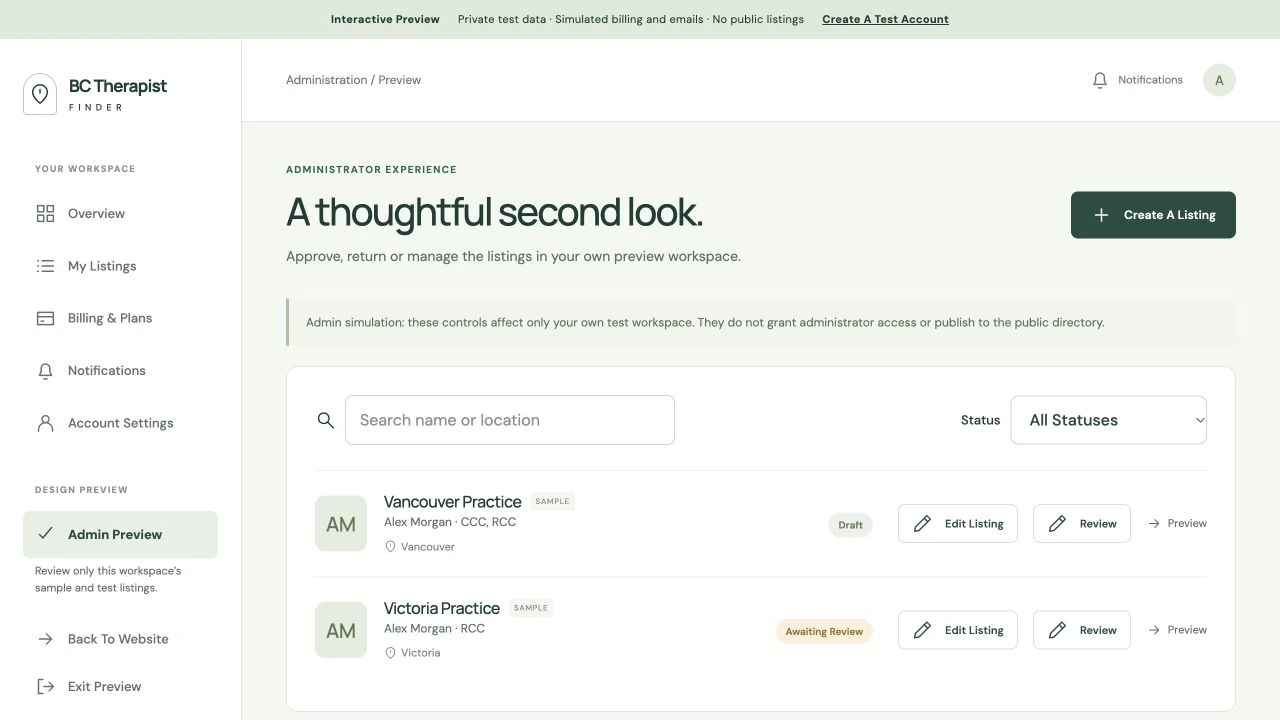
The administrator workspace
Search and filter listings, review profile changes, and manage the information shown in the directory.
Demo workspace screenshots with sample accounts. No private member or billing information is shown.
Beyond the interface
The details that keep it running.
Subscriptions that fit the service
Stripe handles monthly and annual memberships, eligible trials, and additional-listing discounts. Members can manage payment details and cancellations, with supported plan changes scheduled for renewal.
Useful emails, built into the experience
Branded emails support account access, invitations, password recovery, and profile updates. Administrators also have an email composer with preview sending and delivery records. Contact forms and newsletter signups connect to the appropriate communication tools.
Existing members brought along
We imported existing profiles, photos, and available practice information, connected accounts to their Stripe records, and arranged subscription transitions while preserving applicable discounts, renewal dates, and scheduled cancellations. Migration emails helped members access and review their accounts.
Built through to launch
The work included Cloudflare hosting, HTTPS, spam protection, cookie controls, and search and sharing metadata. Testing and refinements covered the public pages, dashboards, forms, billing, and email workflows before and through launch.
A closer look
Built around the details.
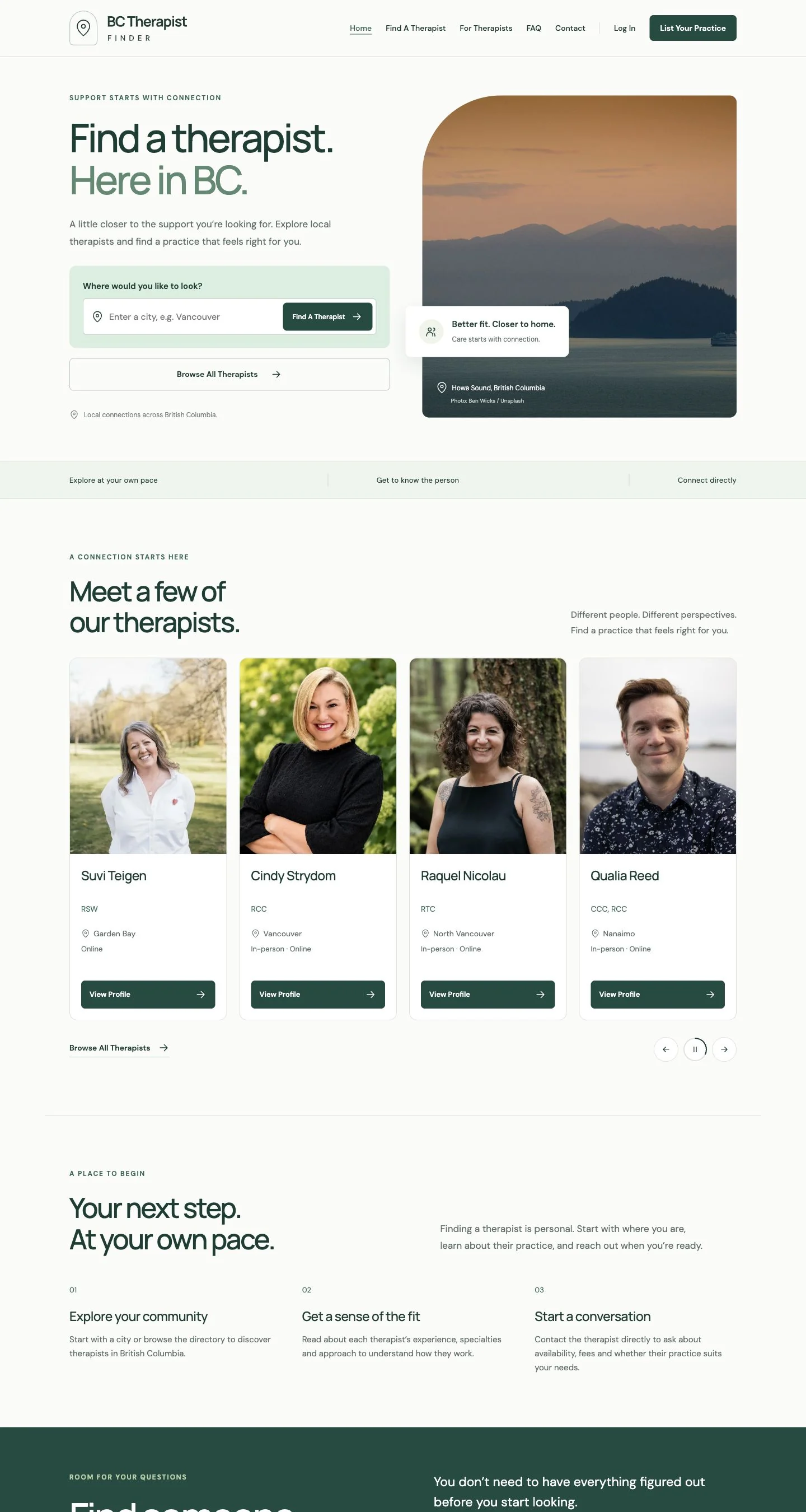
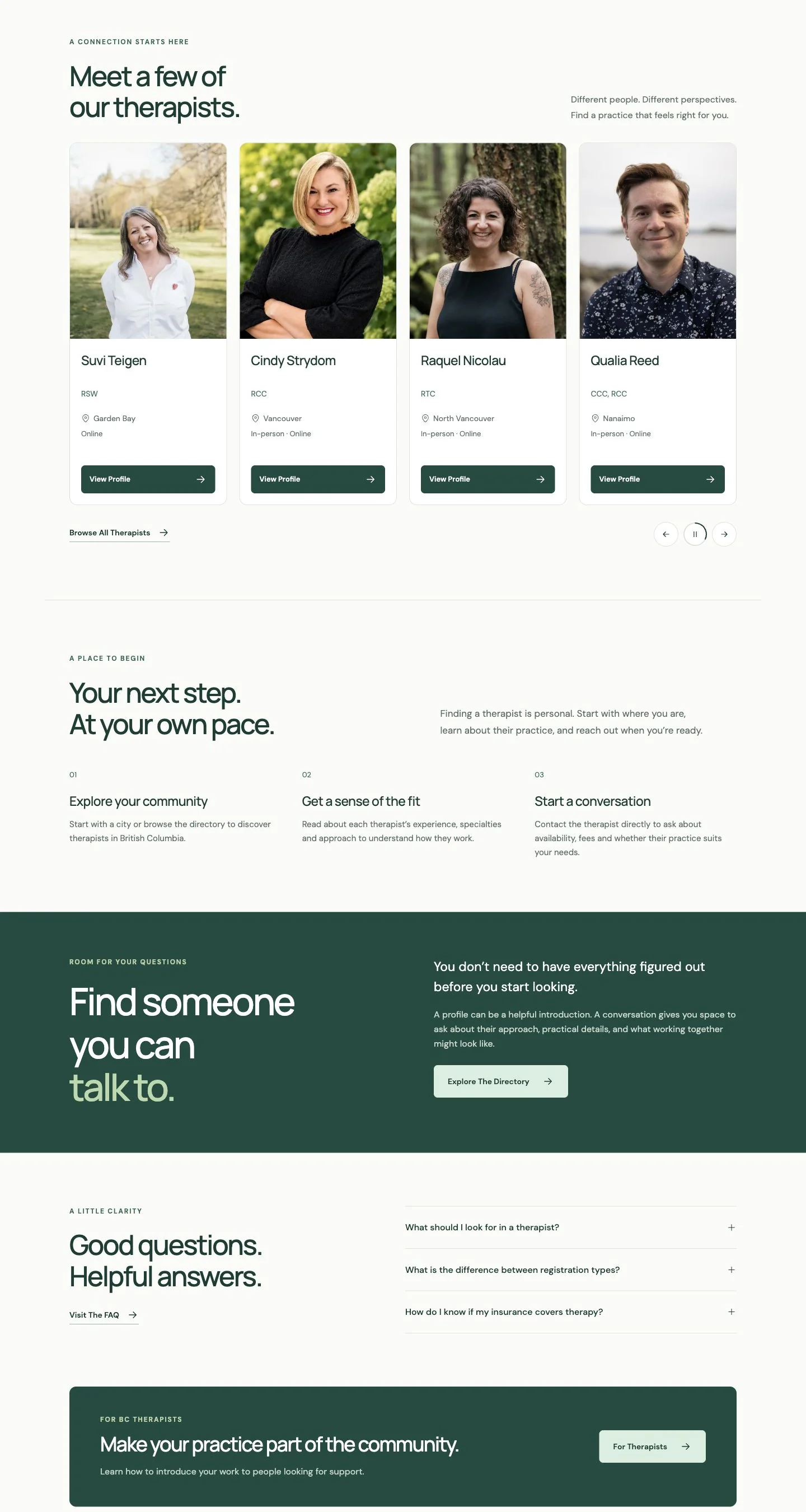
The public directory is the part visitors see first. Portraits, clear practice details, search filters, and an interactive map help people explore their options before making contact.
www.bctherapistfinder.com
The homepage’s therapist discovery cards, showing portraits and practice details.
Features included
01 / Find a starting point
Search and map tools help visitors explore therapists by location and narrow down their options.
02 / Get to know the person
Profiles bring together biographies, credentials, specialties, approaches, contact details, and funding or insurance information.
03 / Share and discover
Each profile has its own address, with automatically generated search engine and social sharing information.